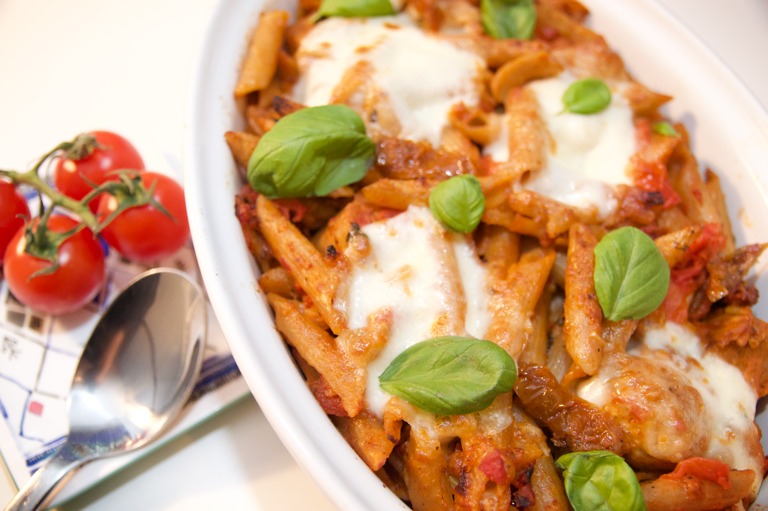
Super easy vegetarian pasta bake
A wholesome pasta bake is the ultimate comfort food. This delicious bake is super quick to prepare and an ideal midweek meal for all the family.
- Prep
- 5 min
- Cook
- 20 min
- Serves
- 4
- Difficulty
- Easy
Ingredients
400g wholewheat pasta
1 onion
2 garlic cloves
1 pack vegetarian sausages
400g chopped tomatoes
50g sliced sun dried tomatoes
1 pinch sugar
3 tbsp red pesto
50g cheddar cheese
Basil or mixed herbs
100g mozzarella
Method
- 1 In a large pan, boil the pasta in plenty of water until cooked.
- 2 Whilst the pasta is cooking, chop the onion and gently fry it with the garlic in a little oil until soft and the onion looks clear.
- 3 Add the vegetarian sausages. Once browned, remove and chop into chunky bites.
- 4 Pop the sausages back into the pan and add the tomatoes, sugar, pesto and sun dried tomatoes. Season to taste. Simmer until most of the water from the chopped tomatoes has gone.
- 5 Drain the pasta and add to the pan with the sausages and tomatoes. Stir in half of the cheddar and transfer to a shallow dish. Sprinkle with the rest of the cheddar and dot the sliced mozzarella over the top.
- 6 Grill for 10 minutes or until the cheese has melted and started to brown. Serve with basil leaves.
Same node, other view modes
Drupal's display modes are components here. Switch one and the page re-renders from the entity already in the store, with no second request.
Open card in Storybook →How this page works
One component file renders every recipe on this site
Drupal's full display mode maps to this file. Change the layout here and all 24 recipes follow. The field templates, labels and formatters still come from Drupal's display config.
Read the Entity guide →
      <DruxtEntity
  type="node--recipe"
  mode="full"
  :uuid="uuid"
/>